YouTube without ads on UniFi
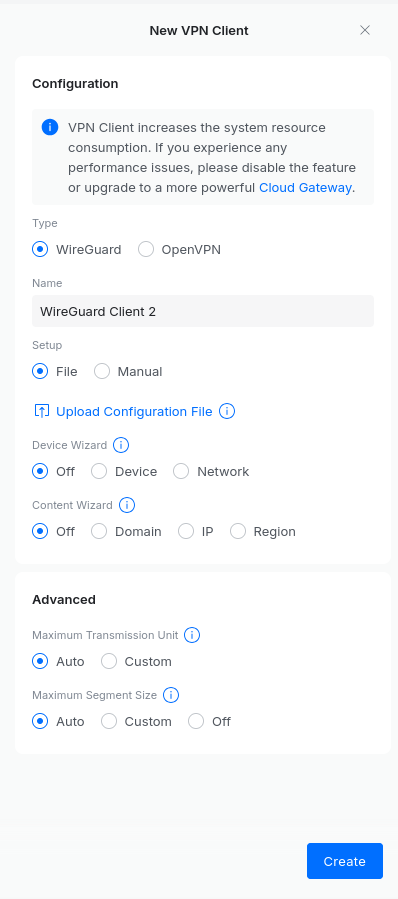
Create a Mullvad account and generate a Linux WireGuard configuation without IPv6 (UniFi does not support this yet). Make sure the configuration points to one of the Tirana exit-nodes.
Load this configuration into your UniFi site under VPN > VPN Client.
Now create a policy based route for the following domains to the Mullvad Tirana VPN.
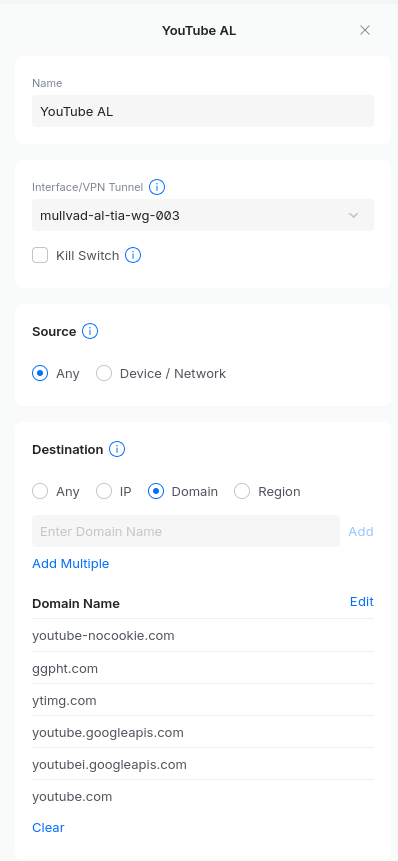
youtube-nocookie.com
ggpht.com
ytimg.com
youtube.googleapis.com
youtubei.googleapis.com
youtube.com
youtu.be
googlevideo.com
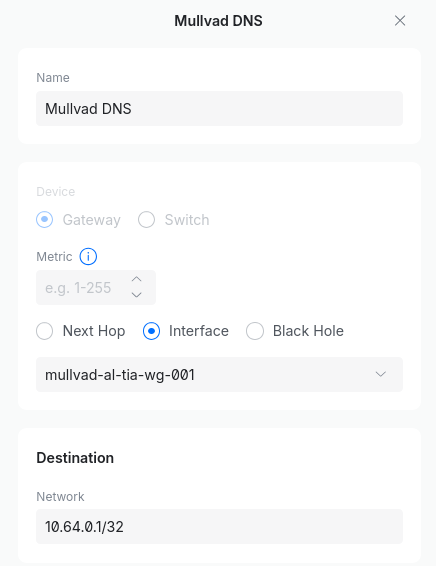
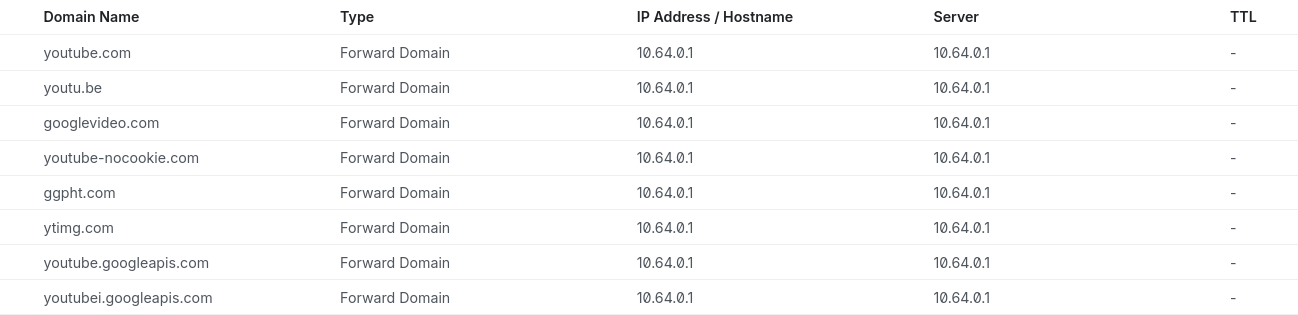
Now to prevent Google from figuring out that you are not actually in Albania, we need to redirect all the DNS requests for YouTube domains to the Mullvad DNS resolver. So,Firstly, create a static route so that we can reach the Mulldvad DNS resolver. Then, create forward domain rules for each of the above mentioned domains. See the exampleexamples below.