
Split-tunnel + Firefox Containers + SOCKS proxy
This guide will show you how to setup Mullvad for split-tunnel use in combination with their SOCKS proxy and Firefox containers.
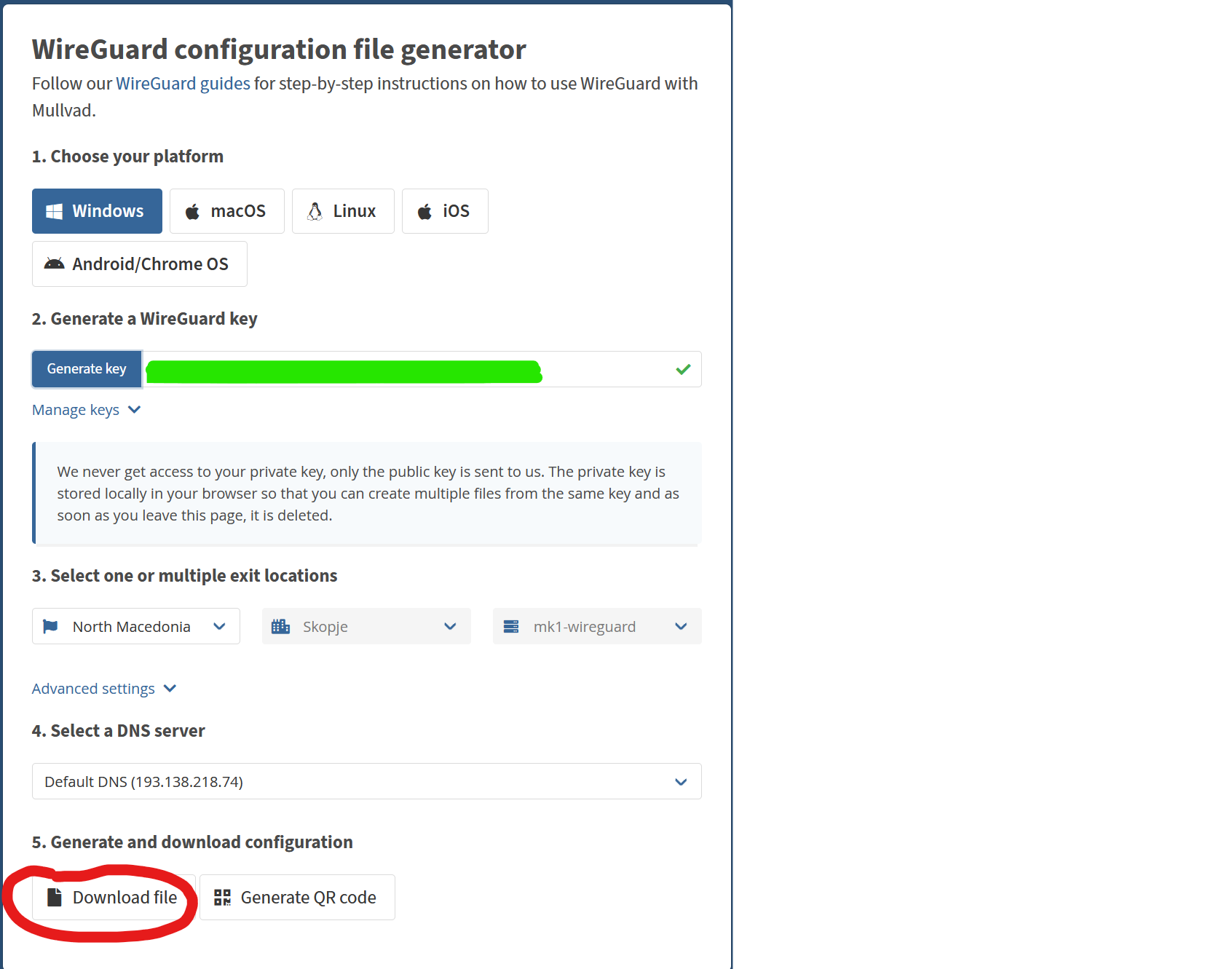
First go to mullvad.net, login to your account and go to the following URL: https://mullvad.net/en/account/#/wireguard-config/, here select your desired settings and click download file.
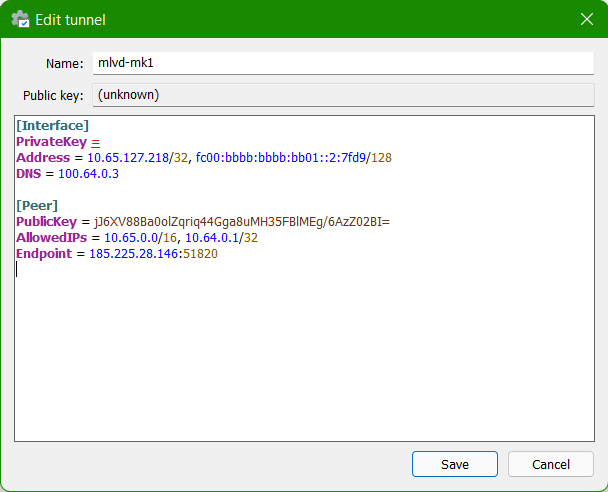
Open your WireGuard client and import the configuration file, after importing it click edit and change the AllowedIPs to 10.65.0.0/16, 10.64.0.1/32
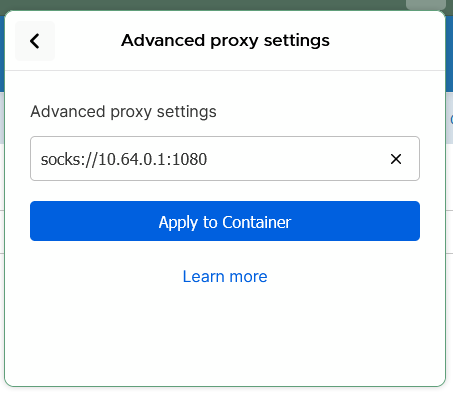
Now you can configure the Mullvad SOCKS proxy in your Firefox container of choice, go to the Firefox containers extension select "Manage Containers" and select the container on which you want to enable the Mullvad SOCKS proxy. Go to "Advanced proxy settings" and enter the following value: socks://10.64.0.1:1080
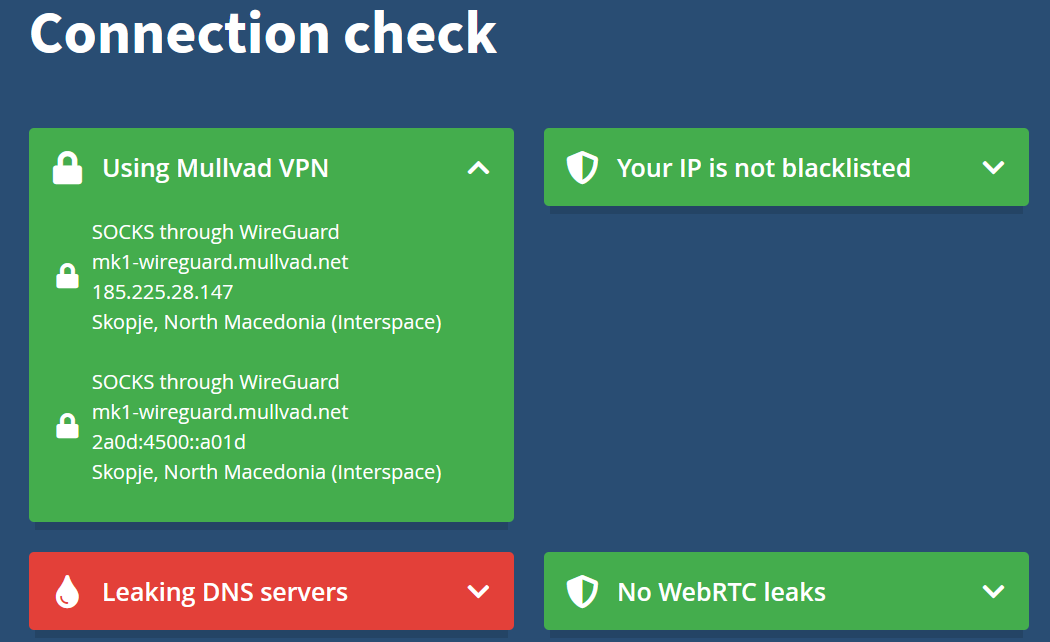
If you now connect your Mullvad VPN config and go to https://mullvad.net/check in the container you just configured, you should see the expected exit server as your location.
No comments to display
No comments to display